NSD Blog Hop - Bloom & Grow FREEBIE!


International Scrapbook Day is next Saturday and the designers at TLP are kicking it off with a FREEBIE blog hop for you. Hope around to everyone's different blogs and you'll get this beautiful kit for free!

Grab my freebie below and then click on the link to go to the next designer's blog!


Click image to download.


Remember, the freebies for Part 1 are only available through May 2nd at 11:59 pm EDT. Look for roots & wings in the shop as Free with Purchase kits during our {inter}National Scrapbooking Day celebrations, from May 3-6th .

Artsy Journal Templates 23 and Must Watch Templates 2

Liz has a new set of Artsy Journal Templates in the store. These are popular designs with fun details like paint and doodles, artsy titles, and sometimes LOTS of journaling. And if you like to add links of videos to your pages with QR codes, there is a new set of Must Watch Templates to help you. Both of these new products are 20% off through April 28, 2019.


If you need some help on how to make your own QR code for your scrapbook page then check out this tutorial. These are such a fun thing to add to your page.


by Karen


By Danica

By Donna

By Ella

By nhudao

By Ophelia

By Stefanie


Templates With a Twist


Hello and happy Thursday!  I’m CTM Robin and I’m here with another Template with a Twist blog post.  Today I’d like to discuss how we can flip and rotate Liz’s templates to make our pages better fit our photos, vary the look of our printed books, or simply to stretch our stash.  In order to do this in PS or PSE, you first need to open up your template and resave it (otherwise you will lose the original one EEK!).  Next, you need to click on Image > Image Rotation > and then select a choice from the menu.  You can rotate your template, flip it horizontally, or vertically, or anything in between!


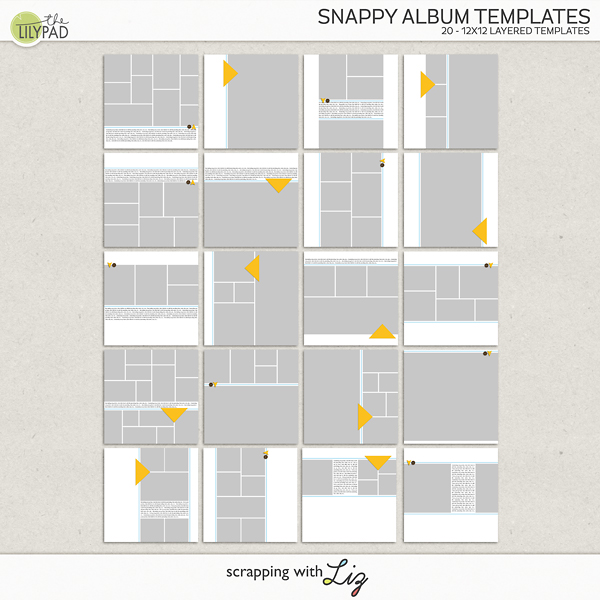
Let me show you what I mean.  CTM Amanda used Template 1 from Snappy Album to create THREE unique pages. 


  This first one is simply using the template as is – no rotation or flipping involved.



When creating this second page however, she chose to turn it upside down by selecting Image > Image Rotation > Flip Vertically.


But in this final example, she turned it sideways by selecting Image > Image Rotation > 90 degrees Counter Clockwise.


So this ONE template helped Amanda make THREE different layouts!


And don’t forget you can use your new template to make a double page layout too!  Here CTM Donna used Recyclables 63 and did just this.


Donna rotated the first template 90 degrees clockwise, and then she joined it with the same template that she had flipped counter clockwise - making a fun double page spread.  Can you see that the options are endless??!!


Now one word of warning when you rotate your templates – be sure to pay attention to your drop shadows!  When you rotate or flip your template, your shadows will also be rotated or flipped.  If you want all shadows to be in the same direction, an easy fix is to select one shadow, verify “Use Global Light” is checked, and then change the direction.  Of course you could always change the shadow of each item if you want different directions.  😊  I hope this blog post gives you some ideas and boosts your scrapping mojo!

Hiking Cut Outs and Simple & Sweet Life 5

Liz has two new products in the store, 20% off through April 21st:


by Kelly

by Erin

by Kayla


By Ophelia

By Anita

By nhudao

By Stefanie

April 2019 BYOC: Mix It Up Templates 7 and Bloom Cut Outs

It's Build Your Own Collab time, which means all the Lilypad designers have coordinating products so we can each put together a perfect collection of papers, elements, templates, etc. Liz has some fun template with a variety of styles, and new spring cut outs! Save a minimum of 20% through April 7, 2019!


By Anita
By Donna
By nhudao
By Ophelia
By Amanda
By Danica
by nhudao
By Stefanie

Weeks 9 -13: Catching Up!

It's been WAY too long since I've shared my weekly pages on the blog, mostly because I've been slightly behind and spending any extra time gettings these pages scrapped. But, I'm officially caught up! Woohoo!

So, Here's the last 5 weeks of my life.

Simple and Sweet Life Templates 3 by Scrapping with Liz
Memory Pockets Monthly Feb. 19 Smooch Kit and Products
Style No. 27 by Sahin Designs

Simple and Sweet Life Templates 3 by Scrapping with Liz
Memory Pockets Monthly Feb. 19 Smooch Kit and Products
Style No. 27 by Sahin Designs
Simple and Sweet Life Templates 3 by Scrapping with Liz
Springing It by Mommyish
Sprung Papers by Pink Reptile Designs
Sprung Elements by Pink Reptile Designs
Style No. 27 by Sahin Designs
Stitched Mixed Media Stacks 1  by Rachel Jefferies
Must Watch Templates by Scrapping with Liz

Simple and Sweet Life Templates 3 by Scrapping with Liz
Springing It by Mommyish
Sprung Papers by Pink Reptile Designs
Sprung Elements by Pink Reptile Designs
Style No. 27 by Sahin Designs
Stitched Mixed Media Stacks 1  by Rachel Jefferies
Must Watch Templates by Scrapping with Liz

Simple and Sweet Life Templates 3 by Scrapping with Liz
Springing It by Mommyish
Sprung Papers by Pink Reptile Designs
Sprung Elements by Pink Reptile Designs
Style No. 27 by Sahin Designs
Messy Threads by Rachel Jefferies

Simple and Sweet Life Templates 3 by Scrapping with Liz
Springing It by Mommyish
Sprung Papers by Pink Reptile Designs
Sprung Elements by Pink Reptile Designs
Style No. 27 by Sahin Designs


Simple and Sweet Life Templates 3 by Scrapping with Liz
Must Watch Templates by Scrapping with Liz
Springing It by Mommyish
Sprung Papers by Pink Reptile Designs
Sprung Elements by Pink Reptile Designs
Style No. 27 by Sahin Designs

Simple and Sweet Life Templates 3 by Scrapping with Liz
Messy Threads by Rachel Jefferies
Springing It by Mommyish
Sprung Papers by Pink Reptile Designs
Sprung Elements by Pink Reptile Designs
Style No. 27 by Sahin Designs

Simple and Sweet Life Templates 4 by Scrapping with Liz
Must Watch Templates by Scrapping with Liz
Springing It by Mommyish
Sprung Papers by Pink Reptile Designs
Sprung Elements by Pink Reptile Designs
Messy Threads by Rachel Jefferies
Style No. 27 by Sahin Designs

Simple and Sweet Life Templates 4 by Scrapping with Liz
Must Watch Templates by Scrapping with Liz
Springing It by Mommyish
Sprung Papers by Pink Reptile Designs
Sprung Elements by Pink Reptile Designs
Style No. 27 by Sahin Designs
-Liz
© Scrapping with Liz
Maira Gall