New Weekly and Monthly Review Template Sets

If you are scrapping your daily life by the week, or making a monthly summary page, or just collecting your phone snapshots, Liz likely has some new products that are perfect for you. There are new releases today in three of her monthly product lines.  All three are 20% off through Sunday February 28, 2016.

February Insta Review Template is a fun way to collect 24 of your favorite phone snapshots.
http://the-lilypad.com/store/February-Insta-Review-Digital-Scrapbook-Template.html

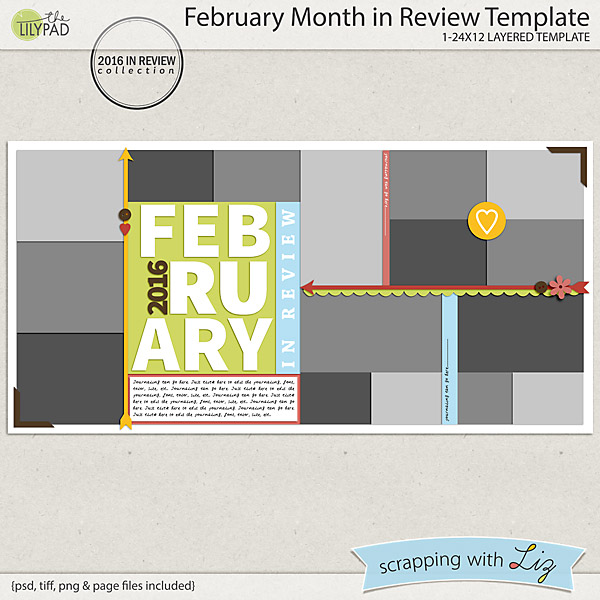
February Month in Review Template is a double page spread with 16 photo spots - perfect for capturing your month or a big event.
http://the-lilypad.com/store/February-Month-in-Review-Digital-Scrapbook-Template.html

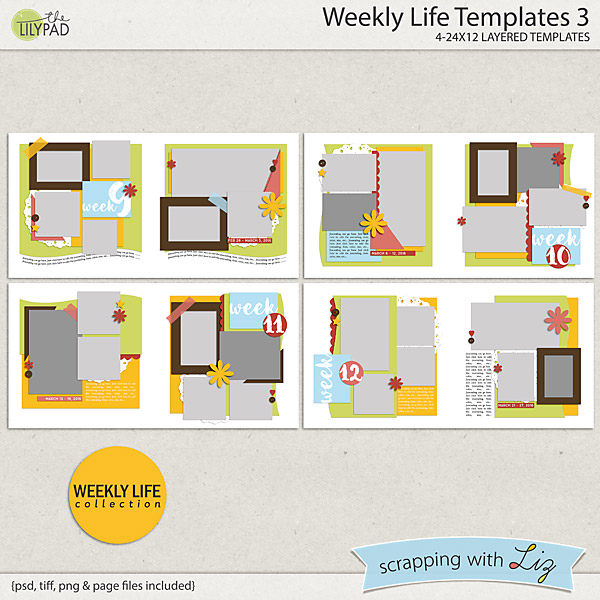
Weekly Life Templates 3 is a new installment of double page spreads with 7 photos to scrap your daily life.
http://the-lilypad.com/store/Weekly-Life-3-Digital-Scrapbook-Templates.html

Katya's February Insta Review page:

Christine's February in Review page:

Donna's Weekly Life 3 page:

And the winner from Wednesday's Giveaway is....Jennie M. Congratulations! 

There's going to be a special sale on Monday, another sneak peek and giveaway on Wednesday, some new 50% off items and new stuff again on Friday! It's going to be a busy week next week. Stay tuned!


2016 Week 7: Lots of Fun!

Weekly Life Templates 2 by Scrapping with Liz
Memory Pocket Monthly Kit and Add-Ons
What a fun week it was. We kicked off the week with our own little Valentine's feast. The girls wanted to decorate and plan a fancy meal. It was such a blast (and a great learning experience for them). Then we moved on to our normal school routine, music practice, spelling practice (anticipating the upcoming Spelling Bee), lots of block building and a LOT of playing outside.

Take a closer look below if you want to.
Weekly Life Templates 2 by Scrapping with Liz
Memory Pocket Monthly Kit and Add-Ons
I've been using two different tutorials/techniques on my pages each week. I know I've shared them before, but I wanted to make sure you all have tried them on your pages.

First one is how to use the wave tool to get a more realistic shadow. You can find the tutorial here on the Lily Pad Blog. I use it on a lot of my paper layers on some of my photos. It gives the papers a more realistic shadow.

Then, since I love washi tape, I've been working on getting it looking more realistic. One Little Bird has a a great little video tutorial showing how to make it look more realistic using the dodge and burn tools.

It might seem like a lot of steps to do at first, but once you get it down it goes pretty quickly.

Weekly Life Templates 2 by Scrapping with Liz
Memory Pocket Monthly Kit and Add-Ons
Hope your week was as fun as mine!
Liz

Week 6 & More House Pages

Weekly Life Templates 2 by Scrapping with Liz
Memory Pocket Monthly Kit and Add-Ons
We are done with the 6th week of 2016. What a week it was! The highlights included a Super Bowl Party with church friends, a Chinese New Year Party with new friends, Winter Jam with homeschooling friends, and a sleepover with a cousin! We also took walks, played with blocks (always playing with blocks), played games, did school work, and the list goes on. It's a full life!

Take a closer look below. Keep looking and you'll come across some new pages I made for my 'construction album'.

Weekly Life Templates 2 by Scrapping with Liz
Memory Pocket Monthly Kit and Add-Ons


Weekly Life Templates 2 by Scrapping with Liz
Memory Pocket Monthly Kit and Add-Ons
I also worked on a few house construction pages. I finished up two more. I have pictures placed in 4 more pages that I'm hoping to finish up this week. I'm trying to keep them simple so that I can get this finished up really soon!
Simple and Sweet Album Templates 3 by Scrapping with Liz
Model Behavior by Forever Joy Designs
Home Collab by Kaye Winiecki and Studio Basic Designs
We are Moving by Pink Reptile Designs and Paula Kesselring
Handyman Elements by Lynn Grieveson Designs
 So many memories made building this house. I hope to capture them in this album.


What projects are you working on?
-Liz

2nd Recipe Challenge: Crock-Pot

Hello, Scrappers. It's Donna here again for the February Recipe Card Challenge. Liz just released her second set of cards and pages, and they are fantastic!


I sent the cards that I made last month to Persnickety Prints and they have been delivered already, so I thought I'd share this photo. I love their prints because they are completely waterproof. I've even run mine under the water when they've become messy. Aren't they just the cutest!


The CT has made some delicious looking cards, too. Here are a few of them.

This one is mine.

Here's one from Cindi.

Christine did her recipe as a page.

I love using my slow-cooker, and thought that would be the theme for this month's challenge. I can't wait to see what you all come up with. Don't forget to post your full resolution recipes in the Recipe Card Challenge Album in Liz's Fan Group on Facebook. Thank you to everyone who share a comfort food recipe from last month's challenge. I have lots of new recipes to try!

Until next month,
Donna

Amanda's Gift Album


Amanda created this beautiful gift album with my Brag Book Templates for her relatives in Germany.

They came to the states last spring to visit. We spoke in passing about a few things we missed from living in Germany. A few weeks ago they sent the nicest box of treats. To say thank you I am sending this book, a handmade crocheted afghan and some American treats they mentioned they like. - Amanda

I thought it was very creative how she took the Brag Book Templates and turned them into full page layouts to make a complete album.

Other items used:
Scrapping with Liz ~ May2015SO Template
Extra Page Template: Scrapping with Liz ~ Journal Card Template 5
Kit: Etc. by Danyale ~ Almost Spring
Extras: Etc. by Danyale ~ Good Life
Stars: Bella Gypsy ~ My Life Rocks
Star Scatter: Just Jaimee ~ To Gather
Fonts: Rockwell Extra Bold, Lobster Two

She placed the 4x6 template on top of an 8x8 page. Easy-peasy.


Here are some images of the printed album. She printed her 8x8 pages with Persnickety Prints.


She slipped all of her pages into this SEI 8x8 Expandable Project Album.
Hope this inspires you to make a quick and easy gift album for someone.
-Liz

New Recipe Cards and Pages, Recyclables 46

Liz has new Recipe Cards and Pages, and a new set of Recyclables. All three new products are 20% off through Sunday February 14, 2016.

Whether you prefer to print out 4x6 cards for a recipe box, or if you want to make a bound book, Liz has you covered with these recurring recipe designs. You can work on them all year long, recording a few recipes each month. By the end of the year, you will have a complete project.
http://the-lilypad.com/store/8x11-Recipe-Page-Templates-2.html

http://the-lilypad.com/store/4x6-Recipe-Card-Templates-2.html

Recyclables 46 is a set of past freebies and challenge prizes (so check your stash before you buy). This is a fun and varied set, with both full page and clustered designs.
http://the-lilypad.com/store/Digital-Scrapbook-Recyclables-46-Templates.html

Here is Christine's 8.5x11 Recipe Page:

Donna likes the 4x6 Recipe Card Templates and how her photo quality prints can be wiped down if needed.

And here is a fun page from Rebecca using Recyclables 46.

And the winner from Wednesday's giveaway is....Karla D. Congratulations!

Week 5, Some NEWS! and My Latest Album Project

Weekly Life Templates 2 by Scrapping with Liz
Memory Pocket Monthly Kit and Add-Ons
Week 5 of 2016! You may notice a new face on my page this week. See that cutie pie on the right page? Yup, that's right! We are adopting again. Matthew needs a little brother, this little boy needs a home, and when I saw his face I just knew he belonged in our family. This has actually been in the works for the last few weeks, but I needed to keep it a secret until now! Since it's all out now I figure he needed a place on my weekly page, and I'll probably be starting an album for him soon.

Our week was full of medical appointments, school, blocks, games, basketball and more. Take a closer look below.

Weekly Life Templates 2 by Scrapping with Liz
Memory Pocket Monthly Kit and Add-Ons

Weekly Life Templates 2 by Scrapping with Liz
Memory Pocket Monthly Kit and Add-Ons
I also just started working on a new album. It's going to be about the process of building our home. Since we've been in the new home for a few months now, I thought it was about time I started scrapping the photos.

My plan is to use the same templates and kits throughout the whole album. It will help with consistency throughout the album, plus I'm hoping it will help me scrap a little faster. You can see the list of what I'll be using below. So far I've gotten three pages done. The very beginnings of the process.

What I will be using for my House Construction Album:
Simple and Sweet Album Templates 3 by Scrapping with Liz
Model Behavior by Forever Joy Designs
Home Collab by Kaye Winiecki and Studio Basic Designs
We are Moving by Pink Reptile Designs and Paula Kesselring
Handyman Elements by Lynn Grieveson Designs


What's the latest album you've been working on?
-Liz

Using Contrast in Photo Collages

I like to think of myself as Liz's biggest fan. Her templates just click for me, and I use them for at least 90% of the pages I make. Now that my son is older, I don't scrap those little moments quite so much anymore. I scrap about our outings and adventures, school activities, and the times we get to be with our extended family. In short, I scrap multi-photo layouts.

Some of my favorite templates are the ones with LOTS of photos, and the photo spots are right up against each other. Multi-Mini Templates is an example of this style.
http://the-lilypad.com/store/Multi-Mini-Digital-Scrapbook-Templates.html


There are no shadows between the photos, almost as if they are a single layer. These designs are modern and photo-centric, and they are ...  maybe a bit intimidating. I'd like to share some tips I've collected through trial and error.

The first tip that came to mind was that a collection of photos that are too similar to each other will not shine in this style of presentation. I had some photos from a trip to the snow, and I thought to myself: I could use these to show off a BAD example of using these templates. There will be white snow in all the backgrounds, they will all just blend together into a big blob. So I quickly threw my snow photos into one of the Multi-Mini Templates. And my result is the following, which I don't think looks all that bad. If fact, I think it looks great:


Were my instincts wrong when I supposed that photos with similar backgrounds would look bad together? I look another look at the template. Yes, they almost all had snowy white backgrounds, but I had done something without even thinking about it: many of the photos were cropped!

Here is the same template with the same photos, but every photo has been sized so that as much of the original photo as possible is visible:

I think it is safe to say that this second layout is not as good as the first. With all of the photos zoomed out, they do tend to get lost next to each other, with less contrast from one to the next. Contrast! That is the design principle that helps photos look great when placed next to each other.

When placing photos in close proximity to each other, try to optimize contrast between adjacent photos. This will help visually isolate each photo and make it stand out next to its neighbor. Here are some specific ideas:

  • Crop: If one photo shows a wide angle view, try placing a cropped or macro photo next to it. As an added bonus, cropping in to people's faces can bring out the emotion or energy of the photo.
  • Brightness: If one photo has a dark background, try placing a photo with a light background next to it.
  • Color: Look for color contrast between your photos and place different colors next to each other. You can also process your photos to help with this: try a black and white filter, or an action that adds a haze or vignette to the photo.
  • Subject: A photo collage is a great opportunity to show details as well as the big picture. When you take pictures of an event, try to remember to take some detail or close-up shots.

Here are three more examples I made recently. Look carefully at adjacent photos and see where I've used cropping, brightness, and color to accentuate contrast between adjacent photos.

Bold Double Templates 1 by Scrapping with Liz; Kits by Valorie Wibbens and Karla Dudley, Allison Pennington, One Little Bird, and Etc. by Danyale

Bold Double Templates 3 by Scrapping with Liz; Kits by Pink Reptile Designs, Valorie Wibbens, Laurie Ann, and Julie Bullock

Bold Double Templates 3 by Scrapping with Liz; Kits by Allison Pennington and Etc. by Danyale

I hope these simple tips will give you a little more confidence the next time you are picking out templates and photos. Even if you aren't using a flat collage presentation like I've used above, contrast among your photos will help to build an interesting and eye catching photo cluster.

© Scrapping with Liz
Maira Gall